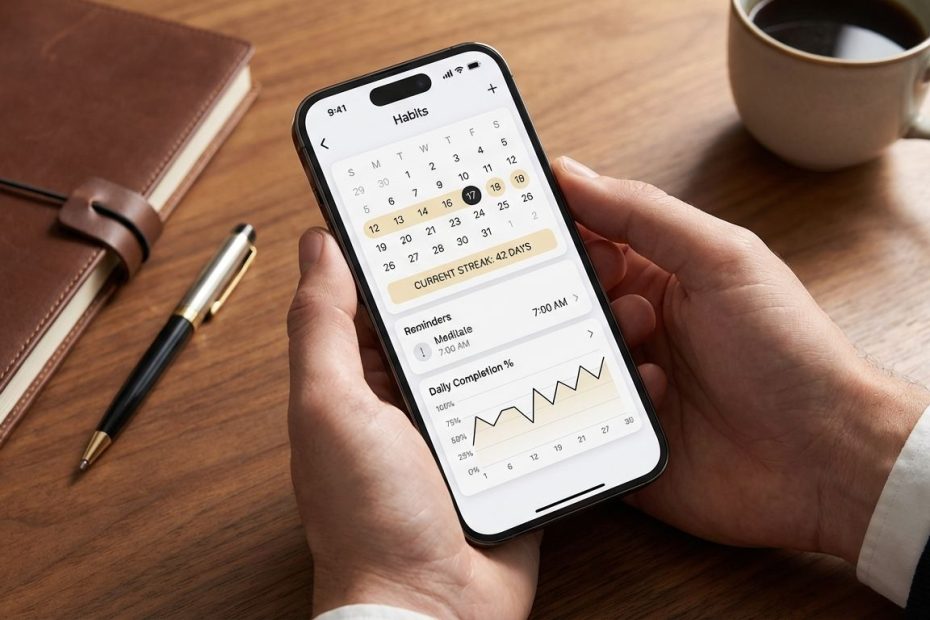
If you want the best habit-tracking app, pick one that matches how you already live: quick daily check-ins, dependable reminders, and a history you can trust. The seven apps below earn their spots because real users rate them highly, keep downloading them, and keep talking about the same strengths and pain points.
This guide gives you a decision-ready shortlist, not a feature dump. You’ll get what each app is best at, what it’s weak at, what types of habits it fits, what the pricing model usually feels like in practice, and how to avoid common “habit app failure modes” like over-logging, notification fatigue, and subscription regret.
1. Streaks (Best For Apple-First Habit Tracking With Watch Support)
If your day runs through iPhone and Apple Watch, Streaks stays one of the cleanest “tap-and-done” habit systems available. It focuses on streak continuity and fast completion, which matters when you’re trying to log a habit in five seconds between meetings, errands, workouts, and family time. The Apple ecosystem fit is a real advantage: you get a smooth workflow across Apple devices, plus the type of surface-level friction reduction that keeps logging consistent.
User data backs up the core claim: Streaks is positioned as an Apple Design Award winner, supports up to 24 tasks, and is built for iPhone, Apple Watch, iPad, Mac, and Apple Vision Pro. That platform coverage is a practical retention driver since people lose momentum when their tracker disappears on the device they happen to be using at the moment. You also get Health app connectivity for certain types of habits, which reduces manual entry when the habit is measurable.
Operational advice that saves time: use Streaks for the habits you want to be “binary” and fast, done or not done. Keep the list tight, since a long habit list creates guilt, and guilt kills adherence. If a habit needs journaling, tagging, or deeper notes, keep it inside the few apps below that are built for richer logs, then let Streaks remain the minimalist scoreboard.
Pricing-wise, Streaks is typically a one-time purchase in many regions, which is valuable if subscription fatigue is already high. The one-time model also makes it easier to commit mentally, since you avoid the “trial, cancel, forget to cancel” failure loop that shows up often in habit coaching apps.
2. Habitify (Best For Cross-Platform Habit Tracking With Big-Scale Rating Volume)
Habitify fits well when you want one habit system across iPhone, Android, and web, with enough structure to plan a day around routines. It’s geared toward users who like visual progress, reminders, and a more “daily execution” feel, rather than a pure streak-only app. That matters if your habits include multiple check-in times, different schedules during the week, or reminders you actually want to customize.
The “backed by user data” part is strong here: Habitify reports an average 4.6 rating from 152,093+ App Store users and an average 4.4 rating from 28,125+ Play Store users. That’s meaningful scale, not a tiny sample, and it signals that the app has crossed the threshold where edge cases and device variety usually expose weak products. It’s also marketed as multi-platform, including iOS, Android, watchOS, macOS, and web, which reduces ecosystem friction and keeps you consistent when you switch devices.
Habitify’s plan structure also makes the fit clearer upfront. The free tier is positioned as limited, with Premium unlocking unlimited habits and deeper features. If habits are still being tested, the free tier works as a runway. If habits are already established and volume matters, Premium usually becomes the long-term setting, since habit count limits tend to force awkward “which habit deserves to exist” tradeoffs.
From an execution standpoint, Habitify works best when you set reminders that match real moments in your calendar. Don’t schedule reminders as wishful thinking. Schedule reminders where you can act, then use Habitify’s analytics to confirm whether that schedule is working. When reminder timing matches reality, logging becomes automatic and the app stops feeling like “admin work.”
3. TickTick (Best For Habits + To-Dos In One App)
If a habit tracker fails, it’s often because habits live in one app and the rest of life lives in another. TickTick solves that by letting you keep habits next to tasks, lists, projects, and scheduling, so you stop bouncing between tools. This is the right choice when your habit success depends on planning and execution, not just a streak grid, and when you want habits to behave like recurring actions in your actual workflow.
User data outside the app stores still provides signal on how people experience it. SoftwareAdvice shows TickTick with a 4.7 overall rating, plus strong sub-ratings for ease of use and functionality, reflecting that users keep it in daily rotation and rely on it for real work. On the complaint side, Trustpilot includes harsh reports about billing and cancellation frustration from some users, which is exactly the kind of risk you should acknowledge before committing to any paid tier.
Here’s the practical way to use TickTick as a habit tracker without turning it into a messy to-do pile. Keep habits as a dedicated list, track only behaviors that are measurable and repeatable, and avoid writing habits as vague intentions. Build them as recurring items with clear completion criteria, then review weekly to confirm what’s working. That weekly review is where TickTick becomes a performance tool, not just a checklist.
Subscription hygiene matters with any productivity tool. If a paid plan is activated, manage it through the same store channel you used to purchase it, and keep confirmation receipts. This isn’t paranoia, it’s basic ops discipline, and it prevents the “I thought I canceled” scenario that shows up in user complaints across many apps.
4. Loop Habit Tracker (Best Free, Privacy-First Habit Tracking On Android)
If “free” means no ads, no forced account, and no data hostage situation, Loop Habit Tracker is the standout. It’s open source, offline-friendly, and designed around long-term habit building rather than upsells. This matters if your habits are personal, sensitive, or simply not something you want tied to a third-party account that can change terms later.
The project’s distribution and documentation back up that positioning. The F-Droid listing highlights flexible schedules, reminders, and a history view, plus ongoing versioning and reproducible builds through the F-Droid ecosystem. When you’re selecting a privacy-first tracker, distribution matters: a reputable repository with transparent build practices is a real advantage versus unknown clones.
Operationally, Loop works best when you set habits with realistic schedules beyond “daily.” Many habit failures come from forcing a daily schedule on a behavior that’s realistically three times a week. Loop supports more complex schedules, which prevents artificial streak breaks and the demotivation spiral that follows. Track habits the way they actually occur, then use the history view for behavior review instead of self-criticism.
One critical warning that protects readers: there have been community discussions about iOS apps using the “Loop” name without being affiliated with the Android project. Keep Loop recommendations explicitly Android-focused, then use one of the iOS-first apps on this list for Apple users.
5. Way Of Life (Best For Simple Daily Logging With Strong Data Output)
Way of Life is built for quick daily logging with enough reporting to spot behavior patterns. It’s a strong option when you want something straightforward, done, not done, skipped, plus a note, and you want charts that actually help you see trends over time. This “simple input, strong output” design is the sweet spot for many people who get overwhelmed by habit systems that feel like running a second job.
The App Store listing shows a 4.8 rating with 4.9K ratings, which is a solid volume for a niche habit tracker. It also highlights features that matter for long-term retention: reminders, widgets, Siri and Shortcuts support, tags, export options, and passcode lock. Exports matter more than people admit. When you know your history is portable, you commit more easily and you stop worrying about lock-in.
Way of Life fits best when you treat it as a daily decision log, not a motivation engine. Keep habits phrased as behaviors, not outcomes. Track inputs you can control, then use the charts to identify when adherence drops, weekends, travel, high-workload days, and then adjust reminders or habit difficulty. That’s how you turn “habit tracking” into actual habit management.
For anyone who wants a calmer experience, this app also tends to avoid the aggressive “coaching” vibe that some users find exhausting. If a tracker’s tone creates pressure, usage falls off. A neutral interface keeps you logging, which keeps you improving.
6. Fabulous (Best For Guided Routines And Coaching-Style Habit Building)
Fabulous plays in a different category than classic trackers. It leans into guided routines, structured journeys, and designed experiences that push you through sequences, not just single habits. If you respond well to guided structure and you want your habit system to feel like a program, not a spreadsheet, this app can fit.
There’s also real-world product credibility in its design approach. Google’s design case study describes how Fabulous built immersive, contextual notifications and saw a major increase in daily downloads after rolling out its Material-influenced experience, alongside a large volume of five-star reviews. That matters because notification design is not cosmetic in habit apps, it directly controls whether you act on the reminder or dismiss it.
Subscription risk needs to be treated as a first-class decision point here. Community discussions include recurring complaints about billing and cancellation frustration, and third-party review aggregators also capture strong negative experiences. That doesn’t mean every user will have the same experience, it does mean you should manage the subscription deliberately. If you choose Fabulous, commit to a clear evaluation window, track whether it changes behavior measurably, and cancel immediately if it turns into “nice content, no execution.”
Fabulous works best when you use it to install a small number of routines, then keep the routines stable for long enough to become automatic. If you constantly switch journeys or stack too many routines, the app becomes noise. Treat it like a structured routine builder, not an endless library.
7. Habitica (Best For Gamified Habit Tracking With Massive Android Install Scale)
Habitica is the right fit when classic checkboxes don’t move behavior and you need game mechanics to create momentum. It turns tasks and habits into RPG-style progress, with rewards and penalties that create immediate feedback. That feedback loop can keep engagement high for the right personality type, especially when boredom kills consistency.
The user data signal is very strong on Android: Habitica shows 5,000,000+ installs and 71,194 ratings with an average rating around 4.71, which indicates broad adoption and sustained interest. Massive install scale matters when judging durability. Apps with millions of installs tend to survive longer, attract integrations, and keep community energy, though they also attract more criticism and higher support expectations.
Habitica’s main tradeoff is complexity. A gamified system adds setup steps, terminology, and customization. That can be a win if you like designing systems, it can be a loss if you need speed. The best operational move is to start with a minimal set of habits and dailies, then expand only when daily completion becomes consistent. Keep the game layer supportive, not distracting, and avoid turning your habits into an ever-growing quest list.
For accountability, Habitica’s community features can help. The same community layer can also be a reason to step back if you prefer private tracking. The decision comes down to whether external motivation improves follow-through or adds cognitive clutter.
Which Habit Tracker App Is Best Overall?
- Apple-focused: Streaks
- Cross-platform scale: Habitify
- Habits + tasks: TickTick
- Free, offline Android: Loop Habit Tracker
- Simple logging + charts: Way of Life
- Guided routines: Fabulous
- Gamified tracking: Habitica
Pick Your App, Then Lock In Your System
Habit tracking works when the app fits your real routine, not your aspirational schedule. If you live in the Apple ecosystem and want low-friction check-ins, Streaks stays a top-tier choice, and Way of Life gives you stronger pattern visibility when you want richer logs. If cross-platform continuity drives your consistency, Habitify brings large-scale rating signal and multi-device support, and TickTick keeps habits anchored to the same place you already manage your day. If privacy and offline-first matter, Loop Habit Tracker is a clean Android answer, and if motivation is the missing ingredient, Habitica’s game loop can keep you engaged when simple streaks fall flat. Decide based on logging friction, reminder quality, and how you want to review progress, then commit to one app for long enough to build a usable history.
References
- STREAKS (Official Site)
- Streaks (Crunchy Bagel) App Store Listing
- Habitify (Official Site, Ratings Summary)
- Habitify Pricing
- TickTick Reviews (SoftwareAdvice)
- TickTick Reviews (Trustpilot)
- Loop Habit Tracker (F-Droid)
- Way of Life (App Store)
- Google Design Case Study: Engagement Is Fabulous
- Habitica (Android installs, ratings via androidrank)
- Reddit Thread: Todo/Habit Tracker Combo Requests
- Reddit Thread: Fabulous Value, Billing, Cancellation Discussions

Glen Leibowitz is a CFO and financial executive with 20+ years in capital markets and fintech. Currently CFO at Bitcoin Depot, he previously held roles at PwC and Apollo Global Management and served as CFO of Acreage Holdings. He specializes in IPO readiness, SOX compliance, and finance transformations. A CPA, he holds a B.A. in Accounting from Queens College (NY).